
Signs It's Time to Upgrade Your Network Switching Hardware
A reliable network keeps every connected device, application, and employee working efficiently. As businesses adopt cloud platforms, remote collaboration, and data-intensive applications, older networking equipment often struggles to keep pace. Performance issues, unexpected downtime, and security concerns can gradually become more frequent, affecting productivity and customer satisfaction.
Knowing when to replace aging equipment helps businesses avoid costly disruptions and prepare for future growth. This guide explains the warning signs that indicate an upgrade is necessary, the advantages of modern switching technology, and the key factors to consider when selecting new hardware.
What Is Network Switching Hardware?
Network switching hardware refers to the physical devices responsible for connecting computers, servers, wireless access points, IP phones, and other network-enabled equipment within a local area network. A switch intelligently directs data to the correct destination, reducing unnecessary traffic and improving communication between connected devices.
Unlike basic networking equipment that broadcasts information across every connection, modern switches identify where data needs to go, resulting in greater efficiency, faster communication, and improved reliability. Businesses can choose from unmanaged switches for simple deployments or managed switches that offer advanced monitoring, security, and traffic management features.
Key Signs It's Time to Upgrade Your Network Switching Hardware
As business requirements evolve, aging equipment can become a limitation rather than an asset. Recognizing these warning signs early allows organizations to improve performance before major problems occur.
Your Network Frequently Experiences Slow Performance
If employees regularly complain about slow file transfers, delayed application responses, or poor video conferencing quality, your switching infrastructure may no longer support current workloads. Increased data traffic often overwhelms older equipment that was designed for much lighter network demands.
Connectivity Problems Are Becoming More Common
Frequent disconnections, unstable network connections, and devices unexpectedly dropping offline often indicate aging hardware. Persistent reliability issues not only frustrate employees but also interrupt critical business operations and reduce overall productivity throughout the organization.
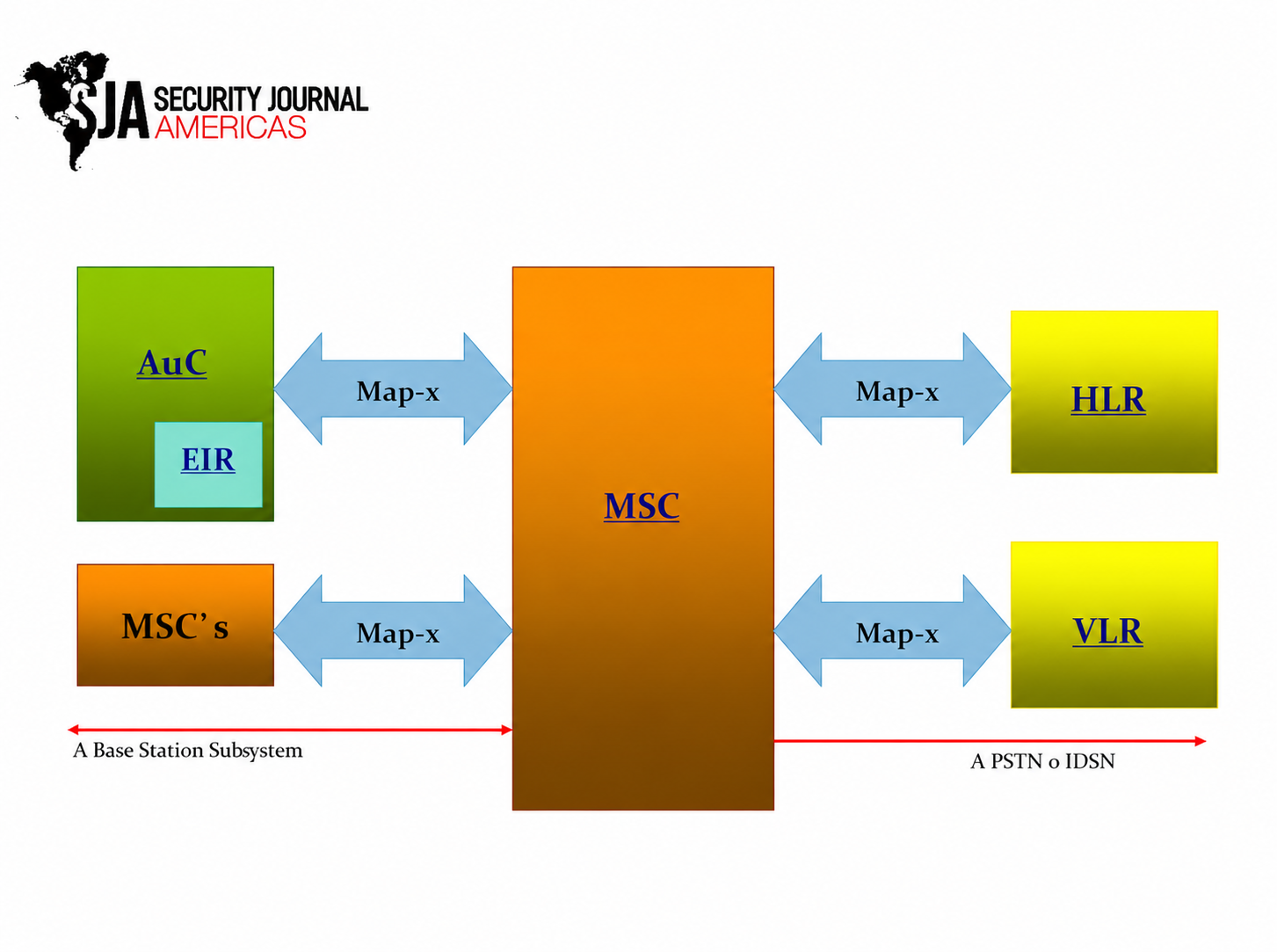
The Network Switching Subsystem Is Reaching End-of-Life
Manufacturers eventually discontinue software updates and technical support for older equipment. An aging network switching subsystem becomes more difficult to maintain, receives fewer security improvements, and increases the risk of unexpected failures that can disrupt everyday business activities.
Your Business Has Outgrown Existing Port Capacity
Growing organizations continually add new computers, printers, surveillance cameras, wireless access points, and smart devices. When available ports become scarce, relying on temporary solutions creates unnecessary complexity and limits future expansion opportunities.
Your Hardware Cannot Support Modern Network Speeds
Today's applications demand faster connections than ever before. If your switches still rely on outdated speed standards, they may struggle to support high-bandwidth workloads such as cloud computing, large backups, real-time collaboration, and high-definition video communication.
Missing Advanced Features for Today's Networks
Modern switches include capabilities such as VLAN support, Quality of Service (QoS), Power over Ethernet (PoE), centralized management, and advanced traffic monitoring. Older equipment lacking these features makes network administration more difficult and less efficient.
Security Updates Are No Longer Available
Unsupported hardware becomes increasingly vulnerable as new cybersecurity threats emerge. Without firmware updates and security patches, organizations face greater exposure to attacks that could compromise sensitive business information and disrupt normal operations.
Maintenance Costs Continue to Increase
Repeated repairs, replacement parts, and emergency troubleshooting often become more expensive than investing in newer equipment. Higher maintenance expenses also consume valuable IT resources that could be dedicated to strategic business improvements.
How Upgrading Network Switching Hardware Benefits Your Business?
Replacing outdated infrastructure delivers immediate operational improvements while preparing the organization for future growth and evolving technology requirements.
Faster Performance Across the Entire Network
Modern switching equipment processes larger amounts of network traffic with greater efficiency. Employees experience quicker access to files, smoother collaboration, improved application responsiveness, and fewer performance bottlenecks during busy working hours.
Improved Security and Better Network Visibility
Current-generation switches offer stronger security controls, user authentication, network segmentation, and detailed traffic monitoring. These capabilities help IT teams detect unusual activity earlier while improving overall protection against evolving cyber threats.
Greater Scalability for Future Growth
Businesses rarely remain the same size for long. Upgraded hardware provides additional capacity, higher speeds, and flexible expansion options, allowing organizations to accommodate more users, connected devices, and digital services without major infrastructure changes.
Reduced Downtime and Lower Operating Costs
Reliable equipment experiences fewer failures, requires less maintenance, and operates more efficiently. As a result, businesses minimize costly interruptions, improve employee productivity, and reduce long-term operational expenses associated with aging infrastructure.
How to Choose the Right Network Switching Hardware?
Selecting the right solution requires evaluating both current requirements and future business objectives rather than focusing only on today's needs.
Assess Your Current and Future Network Requirements
Begin by reviewing the number of connected devices, expected traffic volumes, application requirements, and anticipated business growth. Understanding these factors helps ensure the selected solution remains effective for years to come.
Select the Appropriate Type of Switch
Small offices with basic networking needs may benefit from unmanaged switches, while growing businesses often require managed switches that provide centralized control, enhanced security, monitoring capabilities, and advanced traffic management features.
Prioritize Performance, Security, and Reliability
Look for equipment that supports Gigabit or multi-gigabit speeds, VLAN functionality, PoE capabilities, secure remote management, and regular firmware updates. These features improve both operational efficiency and long-term network resilience.
Choose Hardware That Supports Future Expansion
Investing in scalable equipment reduces the likelihood of another upgrade in the near future. Selecting switches with additional ports, higher throughput, and compatibility with emerging technologies provides greater flexibility as business needs continue evolving.
Conclusion
Ignoring aging networking equipment often leads to slower performance, higher maintenance costs, increased security risks, and unnecessary business disruptions. Identifying the warning signs early allows organizations to upgrade before these issues affect daily operations. Investing in modern switching hardware improves reliability, strengthens security, supports business growth, and creates a stronger foundation for future technology initiatives. As highlighted by Security Journal Americas, proactive infrastructure planning is one of the smartest investments organizations can make to maintain a dependable and high-performing network.
Frequently Asked Questions
1. How often should network switching hardware be upgraded?
Most enterprise-grade switches remain effective for five to seven years, although actual replacement timelines depend on business growth, manufacturer support, performance requirements, and evolving cybersecurity standards.
2. What are the signs of a failing network switch?
Common indicators include recurring connectivity issues, slower network performance, random device disconnections, overheating, hardware failures, frequent restarts, and the inability to support modern applications efficiently.
3. Can old network switches reduce internet speed?
Yes. Older switches may create bottlenecks that limit data transfer speeds, particularly when handling cloud applications, video conferencing, large file transfers, or high-bandwidth business workloads.
4. Is it worth upgrading to managed switches?
For most growing businesses, managed switches provide better visibility, stronger security, improved traffic management, remote administration, and easier scalability, making them a valuable long-term investment.
5. How do I know when my network switch is outdated?
If your equipment no longer receives manufacturer updates, struggles with current workloads, lacks modern networking features, or experiences frequent performance problems, it is likely time to consider an upgrade.

 Turkish