
How IP Addresses Work: A Simple Guide to Understanding Internet Communication
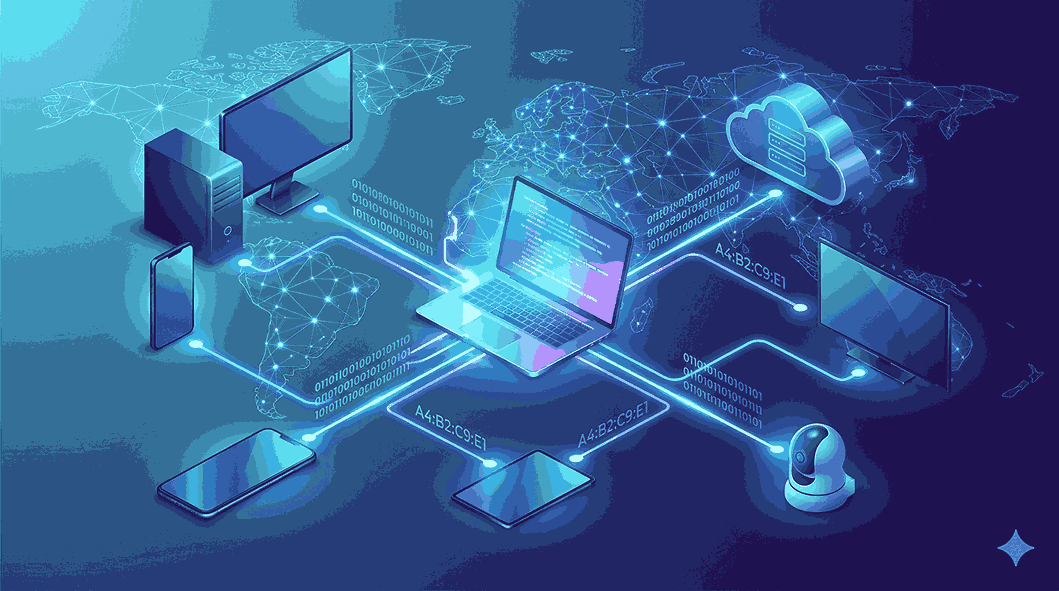
The internet has transformed the way we communicate, learn, work, and entertain ourselves. Every time you open a website, stream a movie, join an online meeting, or send a message, your device exchanges information with servers located around the world. This entire process depends on one essential technology—an IP address.
Many people search for what is IP address because they want to understand how devices communicate online. While the term may sound technical, the concept is actually quite simple. An IP address acts as the unique identity of every device connected to the internet, making it possible to send and receive data accurately.
In this detailed guide by Get Answerss, you'll learn what an IP address is, how it works, the different types available, and why it plays such an important role in modern networking.
What Is IP Address?
An IP address, or Internet Protocol Address, is a unique numerical identifier assigned to every device connected to a network that uses the Internet Protocol.
Every smartphone, laptop, desktop computer, tablet, gaming console, smart TV, and web server connected to the internet has an IP address.
Its primary purpose is to identify devices and allow them to communicate with each other across networks.
Without IP addresses, the internet would not know where to send requested information.
Why Is an IP Address Important?
Imagine sending a letter without writing the recipient's address. The postal service would have no idea where to deliver it.
The internet works in a similar way.
When you request information from a website, that website needs to know exactly where to send the requested content. Your IP address provides that destination.
Some important functions include:
-
Identifying devices
-
Delivering internet traffic
-
Connecting users to websites
-
Supporting online applications
-
Managing network communication
Every online interaction depends on IP addresses working correctly.
How Does an IP Address Work?
Whenever you browse the internet, multiple systems work together behind the scenes.
The process looks like this:
-
You enter a website address into your browser.
-
Your browser sends a request through your internet connection.
-
The request contains your IP address.
-
Internet routers guide the request toward the destination server.
-
The website server processes your request.
-
The requested webpage is sent back to your IP address.
-
Your browser displays the page.
This entire communication usually takes less than a second.
Components of an IP Address
An IP address isn't just a random collection of numbers.
It contains information that helps networks identify:
-
The network itself
-
The specific device connected to that network
This structure enables routers to deliver information efficiently without confusion.
Different Types of IP Addresses
There are several categories of IP addresses based on how they are assigned and used.
Public IP Address
A public IP address is assigned by your Internet Service Provider (ISP).
It allows your network to communicate with the global internet.
Characteristics include:
-
Visible online
-
Assigned externally
-
Used by websites to identify your network
Most households have one public IP shared by multiple devices.
Private IP Address
Private IP addresses are assigned within your home or office network.
Your Wi-Fi router gives each connected device its own private IP.
Devices using private IP addresses include:
-
Smartphones
-
Computers
-
Tablets
-
Smart TVs
-
Printers
-
Security cameras
Private IP addresses improve efficiency within local networks.
Static and Dynamic IP Addresses
IP addresses can also be classified based on whether they change over time.
Static IP Address
A static IP address remains permanently assigned.
It is commonly used for:
-
Business servers
-
Website hosting
-
Remote access
-
Email servers
-
Security systems
Advantages include reliability and consistent connectivity.
Dynamic IP Address
Dynamic IP addresses change automatically.
Internet Service Providers assign them using DHCP.
Benefits include:
-
Easier management
-
Better address utilization
-
Lower operational costs
Most home broadband connections use dynamic IP addresses.
Understanding IPv4
IPv4 is the most commonly used Internet Protocol version.
Example:
192.168.0.100
It consists of four groups of numbers separated by periods.
Features include:
-
Easy implementation
-
Global compatibility
-
Approximately 4.3 billion available addresses
Because billions of devices are now online, IPv4 addresses have become limited.
Understanding IPv6
IPv6 is the newer version of the Internet Protocol.
Example:
2001:db8:1234:5678:9abc:def0:1234:5678
Advantages include:
-
Nearly unlimited address capacity
-
Improved efficiency
-
Better support for connected devices
-
Enhanced network performance
As more devices connect to the internet, IPv6 adoption continues to increase worldwide.
Who Assigns IP Addresses?
Several systems work together to distribute IP addresses.
Internet Service Providers
ISPs provide public IP addresses whenever customers connect to the internet.
Routers
Home routers assign private IP addresses to every connected device.
DHCP
Dynamic Host Configuration Protocol automatically distributes IP addresses, eliminating manual setup.
This automation makes networking simple for everyday users.
Everyday Uses of IP Addresses
IP addresses are involved in nearly everything you do online.
Some examples include:
Website Browsing
Every webpage uses your IP address to send information back to your browser.
Online Shopping
E-commerce websites communicate securely using your network information.
Video Streaming
Streaming platforms deliver content directly to your device through your IP address.
Online Gaming
Gaming servers identify and connect players using IP addresses.
Video Conferencing
Meeting applications use IP addresses to transmit audio and video data.
Cloud Services
Cloud storage platforms synchronize files across devices using internet communication powered by IP addresses.
How to Find Your IP Address
Finding your IP address is simple.
Windows
-
Open Command Prompt.
-
Type ipconfig.
-
Press Enter.
macOS
-
Open System Settings.
-
Select Network.
-
Choose your active connection.
Android
-
Open Settings.
-
Tap Network & Internet.
-
Select Wi-Fi.
iPhone
-
Open Settings.
-
Tap Wi-Fi.
-
Choose your connected network.
For your public IP address, you can search online using an IP lookup tool.
Is an IP Address Private?
An IP address contains limited information.
It can usually reveal:
-
Country
-
Region
-
City
-
Internet Service Provider
It generally cannot reveal:
-
Your full name
-
Exact home address
-
Personal identity
-
Phone number
Although IP addresses are not completely private, they do not automatically expose sensitive personal information.
Can Someone Use Your IP Address Against You?
While an IP address alone doesn't provide direct access to your device, attackers may use it to:
-
Scan open network ports
-
Launch denial-of-service attacks
-
Collect network information
Using good security practices greatly reduces these risks.
How to Protect Your IP Address
Several methods help improve online privacy.
Use a VPN
A Virtual Private Network hides your actual IP address by routing internet traffic through secure servers.
Enable Firewall Protection
Firewalls block unauthorized access attempts.
Update Your Router
Install firmware updates regularly to improve network security.
Avoid Unsafe Public Wi-Fi
Public networks may expose your internet traffic if proper security isn't used.
Use Strong Passwords
Protect both your Wi-Fi network and router administration settings.
Common Misconceptions About IP Addresses
IP Addresses Never Change
False.
Dynamic IP addresses change periodically.
Every Device Has a Different Public IP
Not always.
Most devices in one household share a single public IP address.
IP Addresses Reveal Your Home Address
Incorrect.
They usually reveal only approximate geographic information.
Only Computers Use IP Addresses
Many internet-connected devices rely on IP addresses, including:
-
Smartphones
-
Tablets
-
Smart watches
-
Smart speakers
-
Gaming consoles
-
Smart home devices
Why IPv6 Is Becoming More Important
The number of internet-connected devices continues to grow every year.
Modern technologies driving this growth include:
-
Artificial Intelligence
-
Internet of Things (IoT)
-
Smart homes
-
Autonomous vehicles
-
Industrial automation
-
Cloud computing
-
Remote work platforms
IPv6 ensures enough addresses are available to support future technological expansion.
Benefits of Understanding IP Addresses
Learning about IP addresses helps users:
-
Understand internet basics
-
Improve online security awareness
-
Troubleshoot network problems
-
Configure home networks
-
Learn networking fundamentals
-
Better understand cybersecurity concepts
Whether you're a beginner or an aspiring IT professional, IP knowledge provides valuable technical skills.
Conclusion
If you've been wondering what is IP address, the answer is simple: it is the unique digital address that allows every internet-connected device to communicate with others. From loading websites and streaming videos to online gaming and cloud computing, IP addresses make modern internet communication possible.
Understanding how IP addresses work, the difference between public and private addresses, and the roles of IPv4 and IPv6 gives you a stronger understanding of today's digital world. It also helps you make smarter decisions about online privacy and network security.
At Get Answerss, our mission is to simplify technology through clear, informative, and beginner-friendly content. As networking continues to evolve, understanding IP addresses remains one of the most valuable foundations for anyone interested in how the internet works.

 Turkish