
Cloud Contact Center: What Is It & How Does It Work?
Traditional contact centers depend on on-site hardware and software, are inflexible, and expensive to maintain. Scaling them to meet changing customer demand takes time, money, and effort that most teams can’t afford.
If you want a modern, hassle-free customer support platform that keeps your clients happy, you should look into a cloud-hosted contact center.
But it’s not just convenience, cloud contact centers are packed with features that empower your agents to deliver exceptional service across multiple channels, such as phone, email, social media, and integrate with your existing business applications.
We’ll explain this cloud-based call center technology, its key benefits, how it works, and how to use it to meet your customer service needs.
What Is a Cloud Contact Center?
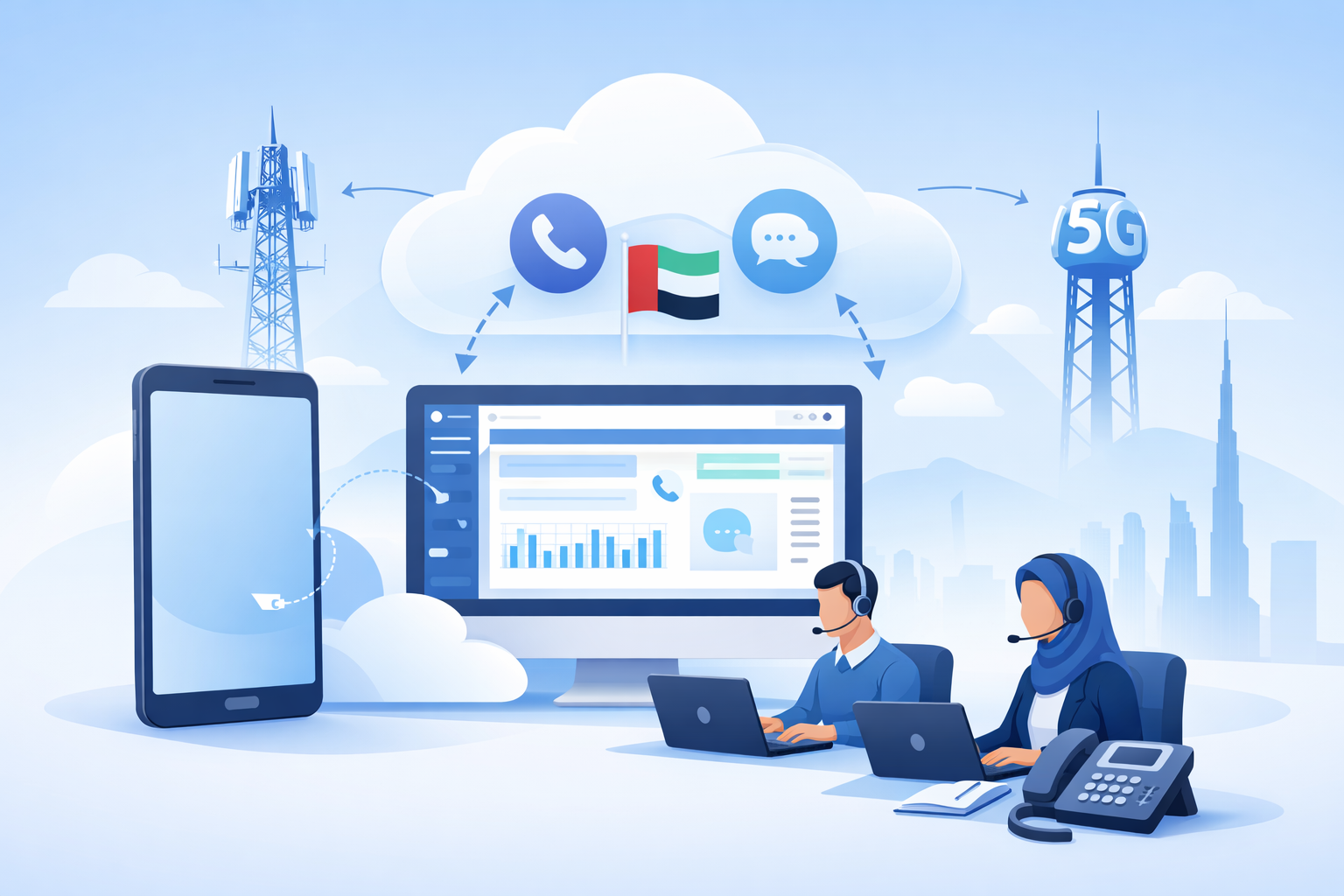
A cloud contact center is a web-based customer service solution that eliminates the need for on-premise hardware and software. It uses the internet and cloud computing to provide businesses with a scalable, cost-effective, and feature-rich platform for managing customer interactions.
A cloud-based contact center banks on call center technology hosted in the cloud. It helps contact center agents handle all types of inbound and outbound calls and customer communications across multiple communication channels, including voice, email, SMS, social media, and the web, in a single, user-friendly platform on both mobile and desktop.
The best part is that agents can access cloud contact center platforms from anywhere with an internet connection, allowing for greater flexibility and remote work opportunities.
On top, cloud contact centers offer advanced features like intelligent call routing, call recording, advanced analytics, and integrations with CRM software, which you might not find in traditional on-premise or traditional phone systems.
As organizations add more support channels, a cloud contact center solution helps them respond to every customer request and optimize agent productivity. In practice, cloud contact centers deliver faster resolutions and better customer experiences.
How Does a Cloud Contact Center Work?
Cloud contact centers operate on a remote server infrastructure managed by a third-party provider. Contact center providers help businesses access the platform and its features through a secure internet connection.
Here’s a breakdown of the key functionalities.
- Cloud infrastructure: The service provider takes care of all hardware, software, and maintenance, eliminating the burden on your IT team.
- Omnichannel routing: Incoming inquiries are automatically routed to the most appropriate agent based on factors like call type, agent skills, and availability. This ensures faster resolution and a better customer experience.
- Interactive voice response (IVR): An automated system that greets callers, collects information, and directs them to the appropriate department or agent.
- Call recording and monitoring: Allows supervisors to monitor calls for training and quality assurance purposes.
- Real-time analytics: Provides valuable insights into call volume, agent performance, and customer sentiment. Customer data helps identify areas for improvement and optimize overall contact center operations.
Cloud contact center software and cloud call center services connect to other platforms like social media or email and integrate all channels seamlessly. Each interaction connects with a customer or prospect account, allowing agents to access customer history and assign communications to the right agent without conflicts.
A cloud contact center can also integrate with your customer relationship management (CRM) software and other existing systems, keeping all communication data in sync across your organization. It’s the best way to deliver a seamless customer experience across customers’ preferred channels.
Since a contact center works entirely over the internet, you just need workstations, headsets, and an internet connection for your team. While you can use special hardware, cloud call center solutions will work just as well on the computers and cell phones you already use.
Contact center workflow steps
A cloud contact center follows a clear, real-time workflow. Each step builds on the previous one and turns a simple inquiry into fast, contextual, and better resolutions.
- Ingress: A customer initiates contact through a preferred channel like phone, WhatsApp, or email. The system captures the interaction instantly, regardless of the channel.
- Identification: The platform syncs with your CRM and identifies the customer in real time. It pulls relevant data, including past interactions, purchase history, and open support tickets, so agents get immediate context.
- Intent classification: Natural language processing (NLP) analyzes the customer’s message or speech and determines intent. The system goes beyond keywords and understands the purpose behind the interaction, which improves routing accuracy.
- Skills-based routing: The platform evaluates the request against agent profiles, including expertise, language skills, and past performance. It then routes the interaction to the most suitable agent for that specific issue.
- Resolution: The agent resolves the issue using real-time data and integrated tools. After the interaction ends, the system generates a summary, logs the conversation, and updates relevant records automatically. This process reduces manual work and improves productivity.
Infrastructure: Multi-tenancy vs. single-tenancy
Your infrastructure model directly affects cost, control, and security.
Multi-tenant cloud
In this model, multiple organizations share the same software and hardware resources. Providers isolate each tenant’s data and deliver updates, patches, and new features automatically. These hosted solutions reduce costs and ensure you always run the latest version without manual upgrades.
Single-tenant cloud
In this setup, your organization runs on a dedicated server instance. This model gives you greater control over configurations, deeper customization, and stronger data isolation. It costs more but works well for industries with strict compliance requirements, such as healthcare and finance.
Cloud Contact Center Architecture in Detail
These platforms depend on an architecture that keeps the system stable. Each layer operates independently, which allows updates and improvements without disrupting performance or speed.
LayerWhat It DoesKey capabilitiesBusiness impact
Infrastructure
Replaces on-premise servers with distributed cloud environments that handle storage, compute power, and system availability.
Global data centers, redundancy, failover systems
Ensures high uptime, disaster recovery, and uninterrupted operations
Communication
Manages real-time communication across channels and enables seamless interaction between customers and agents.
VoIP, SIP (session initiation protocol), and WebRTC (Web real-time communication)
Delivers low latency, high-quality audio, and consistent communication across devices
Application
Provides the interface where agents manage interactions, including dashboards and system controls.
Agent dashboards, routing logic, interaction management tools
Streamlines workflows and improves agent productivity
Data and analytics
Converts interactions into structured data for insights and performance tracking.
Sentiment analysis, AHT, FCR, CSAT, SLA, predictive analytics
Enables data-driven decisions, better forecasting, and improved customer experience
Integration
Connects the contact center with external systems and tools through APIs.
CRM integrations with Salesforce and HubSpot, open APIs
Provides full customer context and reduces manual work
Unified platform advantage
Some platforms combine communication, data, and automation into a single system.
Unified CX platforms like Nextiva
Reduces tool fragmentation, improves data consistency, and speeds up resolution time
Where AI fits in the architecture
AI enhances multiple layers of the system.
- In the data layer, it analyzes patterns and extracts insights
- In the application layer, it supports automation and recommendations
- In the communication layer, it enables speech recognition and transcription
With this layered integration, cloud contact centers deliver streamlined operations and allow AI to operate well without affecting system performance.
Benefits of Cloud Contact Centers vs. Traditional On-Premise Contact Centers
On-premises call centers are quickly becoming outdated. There’s a reason IDC predicts that business cloud solutions will continue to outpace (54%) on-site technology investments (46%) in the coming years.
On-prem contact centers require employees to be physically present, demand constant maintenance, and require expensive (and quickly obsolete) hardware.
On-site call centers revolve around phone conversations, which don’t address the modern customer experience. For these reasons and more, cloud-based contact center solutions are the right approach for high-growth companies.
Analysts forecast cloud-based infrastructure will continue to unseat on-prem solutions. (IDC)
Cloud contact centers are entirely different. They offer accelerated setup, improved flexibility, and real-time analytics. In the end, this means significant cost savings, gains in customer experience, and faster time to market.
Here are some compelling benefits cloud contact centers offer over traditional systems to help businesses deliver top-notch customer service:
FunctionCloud contact centerOn-premises contact center
Setup
Affordable, out-of-the-box installation that can work with existing devices
Months-long process that requires hardwiring each device to a central system
Scalability
Near-infinite scalability; can add new lines in a few clicks
Each new line requires additional on-premise setup
Reliability
Enterprise-level reliability with excellent uptime and speed improvements through software upgrades
Reliability depends on existing hardware, which will deteriorate over time
Improvements
Ever-expanding set of key features using developing technologies like AI and predictive analytics
Limited to existing capabilities
Features
All traditional features plus modern improvements like IVR, natural language processing, live call monitoring, and more
Traditional features like hold, call logging, and wait music
Integrations
Extensive integrations across digital channels and tools
Limited integrations that can be difficult to set up due to installation and licensing issues
Cost
Minimal up-front cost and lower monthly cost per user
High upfront costs and additional ongoing costs for system maintenance
Remote work flexibility
Agents can work from anywhere in the world
Agents are restricted to the system’s physical location
Customer engagement
Seamless conversations across channels and departments
Each channel is handled separately
Cloud Migration and Overcoming the Challenges
Moving to the cloud doesn’t require a full system overhaul. A phased approach reduces risk, improves adoption, and ensures your team gets value from day one.
1. Perform a network and bandwidth audit
Cloud platforms depend on stable connectivity. Evaluate your bandwidth to ensure it supports high-concurrency voice traffic (around 100 kbps per agent).
Challenge: Internet dependency
Solution: Use SD-WAN or redundant internet connections. If your primary line fails, traffic automatically shifts to a backup network to maintain continuity.
2. Clean and prepare your CRM data
Structure and clean your CRM data before migration. Accurate data improves routing, personalization, and reporting from the start.
Challenge: Integration complexity
Solution: Choose platforms with native integrations or no-code APIs that connect easily with your CRM without custom development.
3. Launch a pilot program
Start with a single department, such as billing or support. Test workflows, routing logic, and integrations before expanding across the organization.
This approach helps you identify gaps early and refine processes before full deployment.
Challenge: Risk of disruption during full-scale rollout
Solution: Roll out the platform in phases, starting with a controlled pilot group. Use feedback to fix issues, optimize workflows, and ensure a smooth transition before scaling.
4. Strengthen security configuration
Adopt a security-first approach before moving data to the cloud. Enable Multi-Factor Authentication (MFA) and Single Sign-On (SSO) to control access.
Challenge: Data security concerns
Solution: Work with providers that meet standards such as SOC 2 Type II, GDPR, or HIPAA. Ensure they offer end-to-end encryption for voice and digital interactions.
5. Train agents and manage change
Focus on adoption as much as technology. Train agents on the omnichannel interface so they can handle voice, chat, and messaging without friction.
Challenge: User adoption and resistance to change
Solution: Provide structured, role-based training. Assign experienced super users to support other agents, which accelerates adoption and reduces friction.
Scale Your Sales and Support Organization With Nextiva
Looking for a top-rated contact center solution? Nextiva was named Customers’ Choice for Midsize Enterprise and North America by Gartner Peer Insights. It’s an easy-to-use omnichannel cloud center platform paired with Nextiva’s award-winning customer support.
Thousands of companies rely on Nextiva for scalable communication solutions to grow their businesses.
Here are three reasons why Nextiva stands out from the rest:
- Excellent network reliability: Nextiva offers eight data centers across the United States that reliably connect billions of calls every year.
- Amazing Service: Every account benefits from our award-winning customer service, with 24/7 support, monitoring, and hands-on guidance whenever you want it. Our onboarding takes care of everything so you can focus on serving customers.
- Ease of use: Take the guesswork out of meeting your growing needs with powerful tools for your team. Not only are they easy to use, but they’re also easy to set up!
A contact center solution is ideal for those facing a rising tide of customer and sales requests. Nevertheless, the benefits of moving your contact center to the cloud far exceed those of an on-site solution.
You can’t go wrong with a cloud call center; it offers unmatched scalability. And when you’re ready to move to an omnichannel contact center, we’re ready.
There’s a reason why companies in industries like healthcare, logistics, and finance trust Nextiva. It’s dependable and enables them to grow faster.
Cloud Contact Center FAQs
Hosted contact center can refer to any contact center software or solution hosted by a third-party provider, whether it’s hosted in a traditional data center or the cloud.
Cloud contact center refers to a contact center solution hosted in the cloud. Cloud-based contact centers offer all the benefits of hosted contact centers, with the additional advantages of scalability, security, and accessibility.
Cloud contact centers are a more advanced and flexible version of the general “hosted” category.

 Turkish